Change password
- Select People from the navigation bar.
- Choose a group.
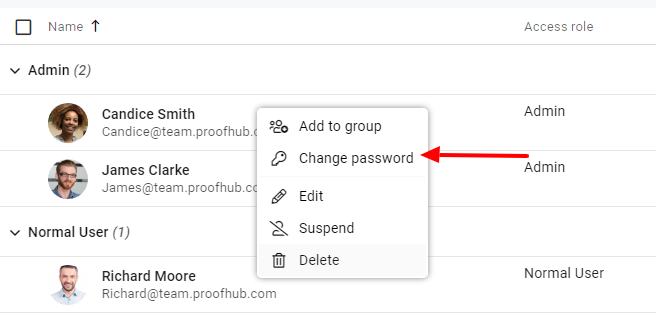
- Right-click on the person’s name and select Change password.
- Enter the new password in the next window.
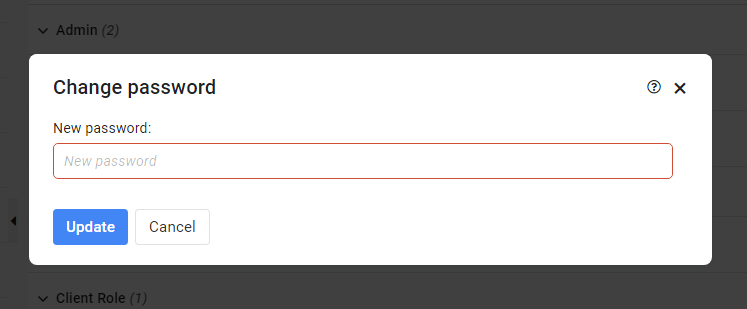
- Click Update to save the new password.
Note: A password must be of 5 characters in length.
Need more help?
- Can't find the answer to your questions? Contact ProofHub Support
- Check our blog for the latest additions, updates and tips.